Many vendors choose Flat Rate Shipping because it is simple and predictable for both the seller and the buyer. Essentially, this method allows you to set a fixed price for delivery, regardless of the value or weight of the items in the customer’s cart. Because it is easy to understand, this strategy often leads to fewer cart abandonments.
First, you must decide on a consistent rate that covers your average postage costs. Furthermore, you should ensure this rate remains competitive compared to other sellers in your niche. If you are just starting out, Flat Rate Shipping is the most straightforward way to begin selling on The Hive NZ.
Although this method is perfect for basic orders, you might eventually need more flexibility. Therefore, we have provided a more in-depth guide on advanced options in the next article. In that guide, you will learn how to adjust your rates based on specific product requirements.
Basic Flat Rate Setup
Follow these steps to configure your delivery options. Flat Rate Shipping allows you to provide predictable costs for your customers.
Step 1: Click the three dots beside the zone you wish to edit. Please note that if you do not edit a zone, customers from that region will be unable to order from you. Once you click the dots, a new screen will open.
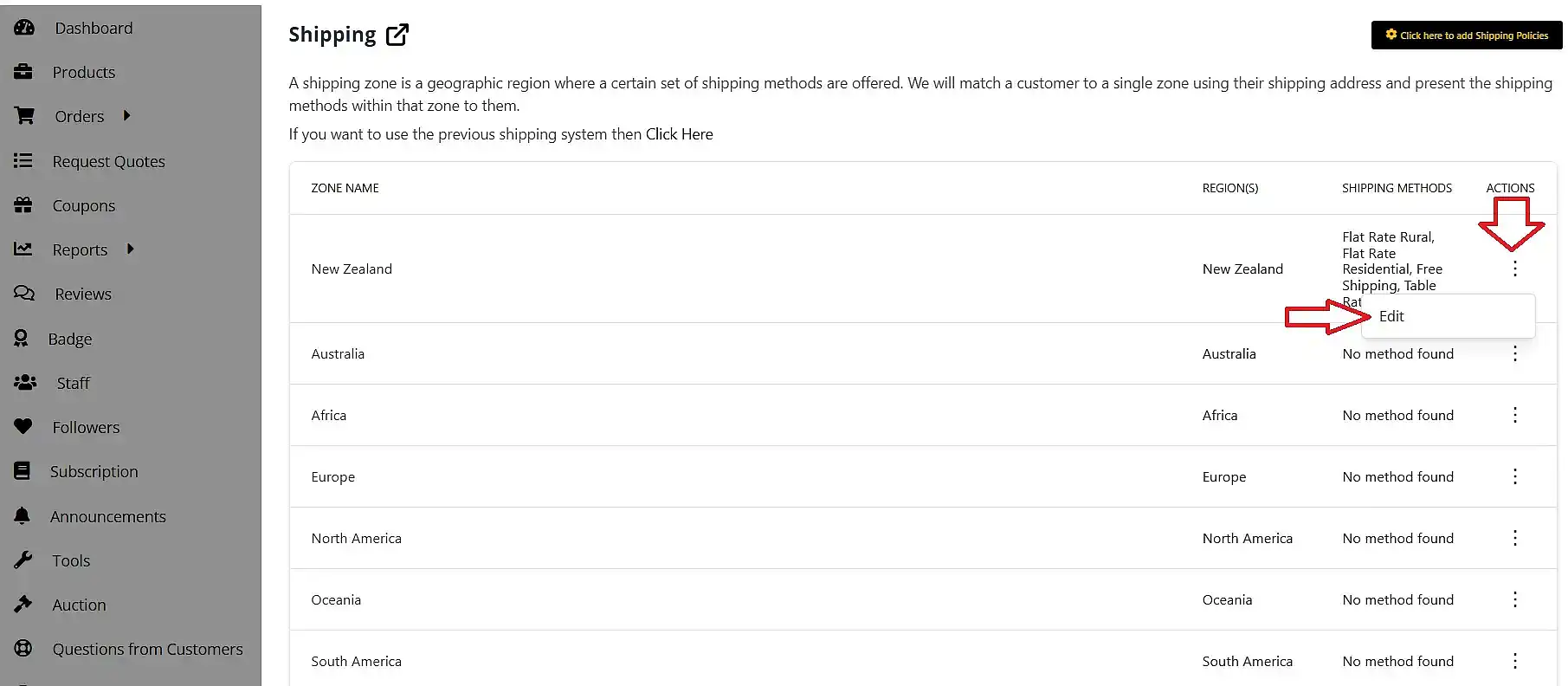
We recommend leaving the ‘select states’ field empty; consequently, your shipping method will apply to the entire region.
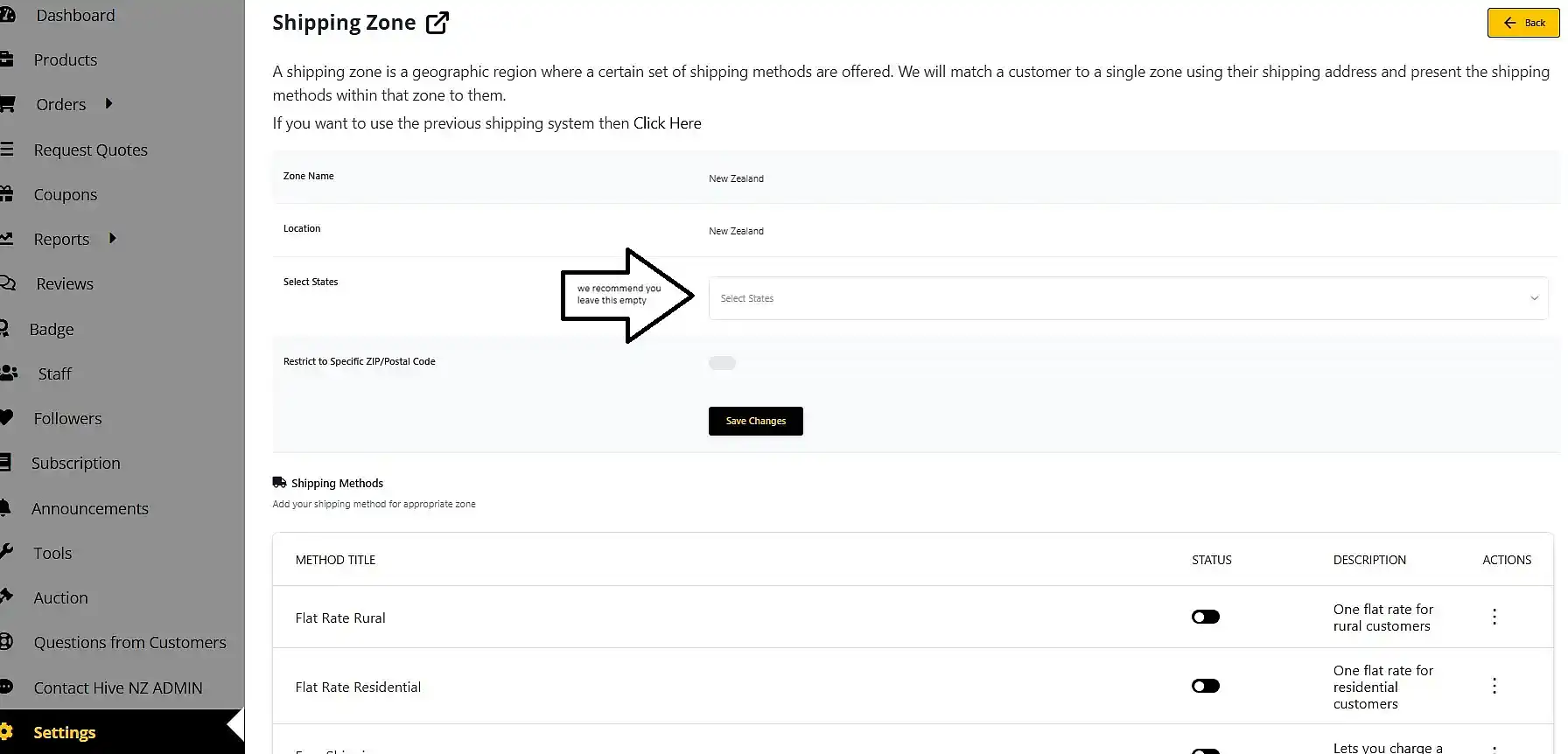
Step 2: Click ‘add shipping method’ to see a pop-up window.
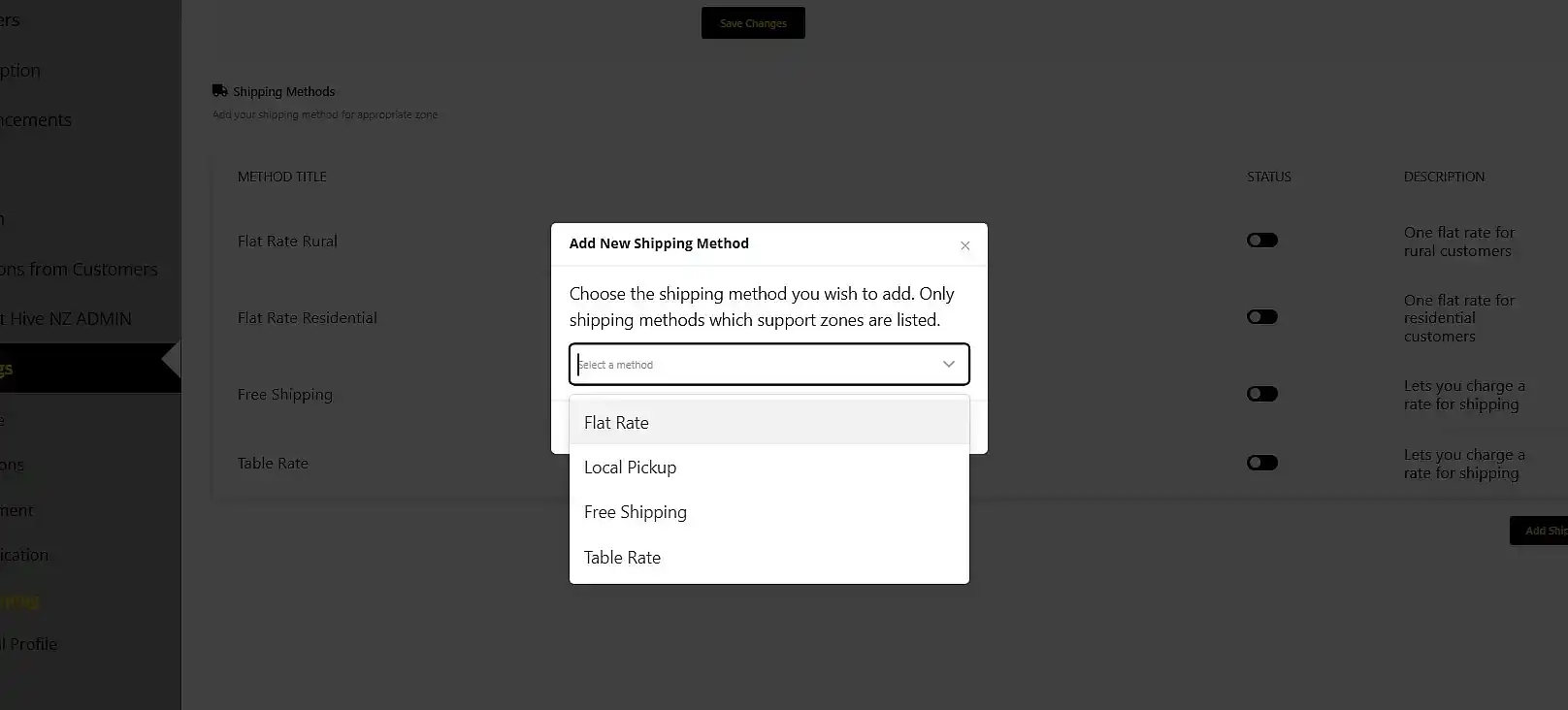
To implement a Flat Rate Shipping method, select ‘Flat Rate’ from the drop-down menu and click ‘add method’.
Note: You can repeat this process if you want different rates, such as one for rural and one for residential customers.
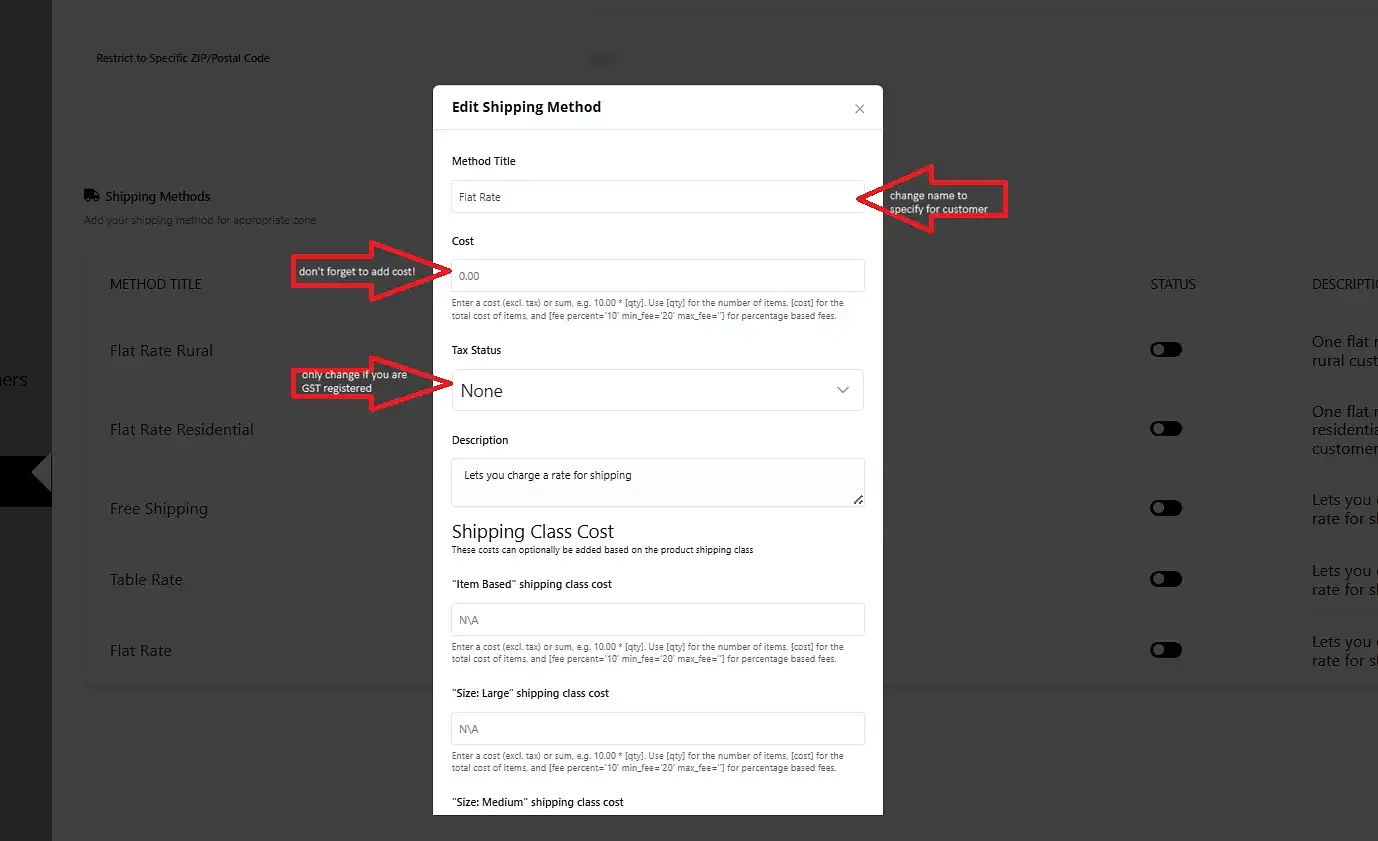
Step 3: You can now edit your shipping option.
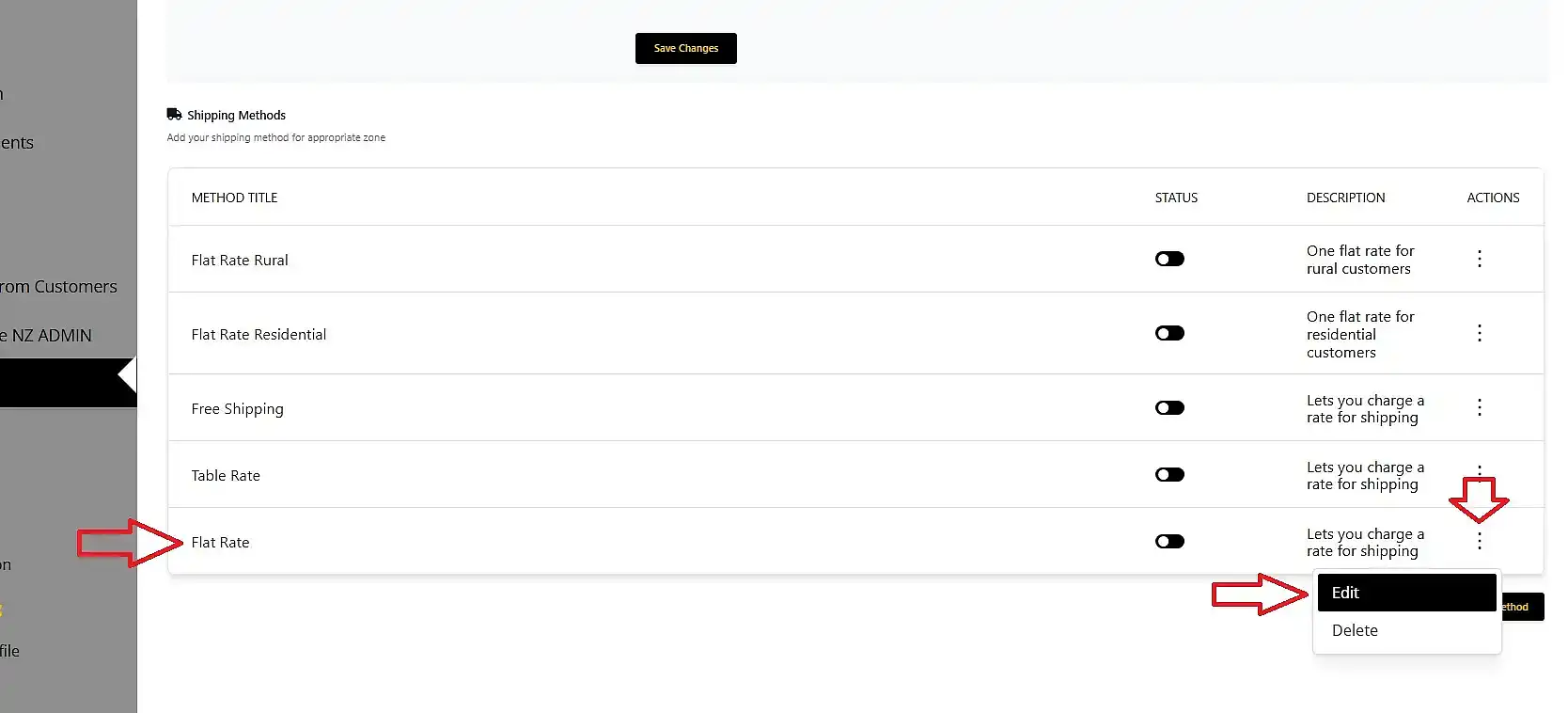
Firstly, set the name under the Method Title field; you can use descriptive names like ‘Rural NZ Wide’ or ‘Flat Rate NZ Wide, this will let the customer know what they are choosing.
Secondly, set the price for that specific option.
You do not need to change any other settings unless you are GST registered. In that case, ensure you update the tax status accordingly.
Finally, scroll down and click ‘save method’.
Step 4: Your new Flat Rate Shipping method will now appear in your list.
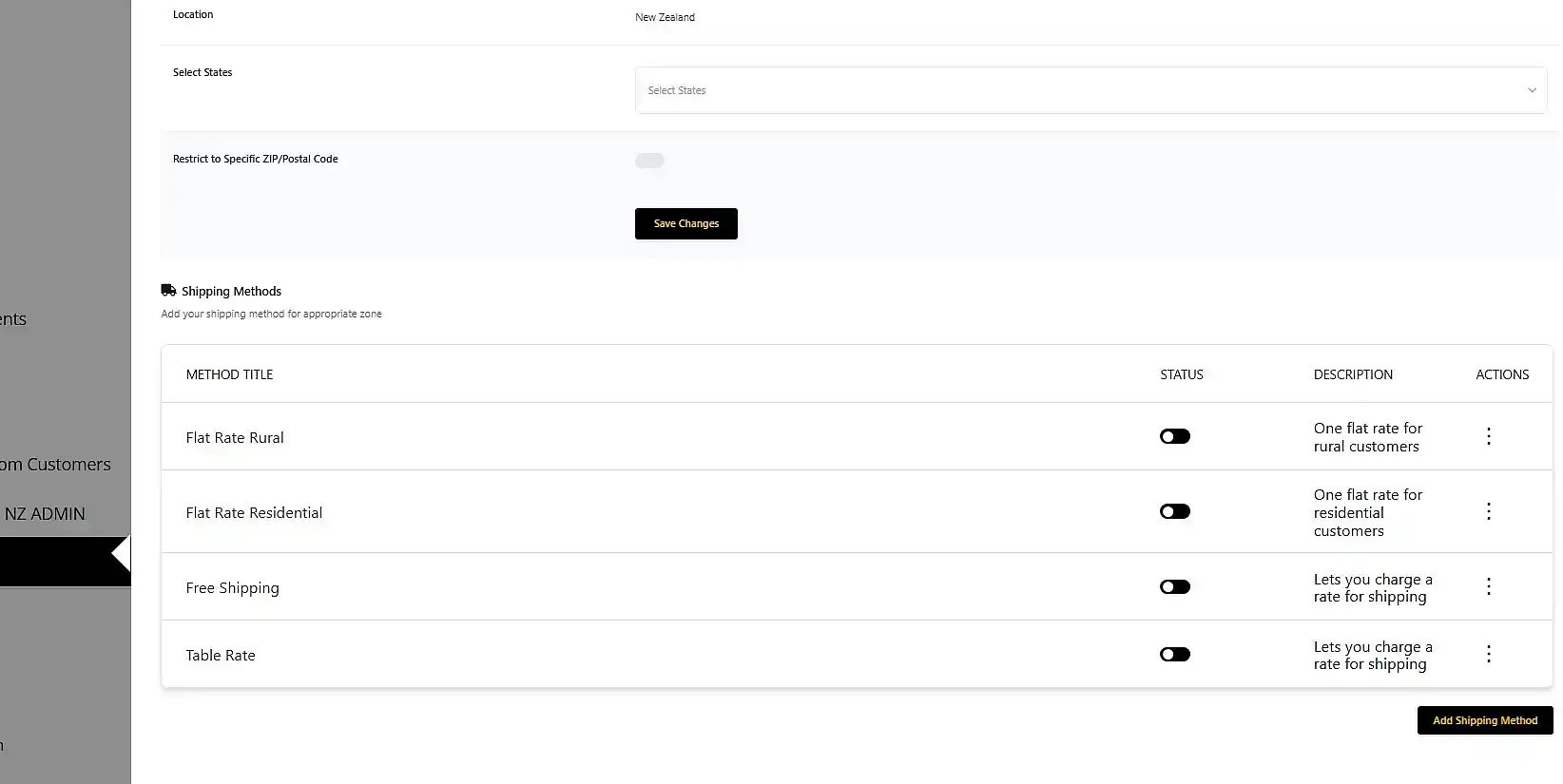
You may leave it as it is, or you can add more methods to the list to suit your business needs.
Important Considerations for Your International Zones
You are also able to set up shipping methods for international zones.
However, if you choose not to set these up, customers from those countries will be unable to shop from you.
We do not advise setting up shipping based on individual postcodes or specific states. It has proven difficult to keep this information accurate and up-to-date on a worldwide scale.